
I have logs, config dumps, or command output that I need to paste somewhere. Maybe it’s a support ticket. Maybe a vendor case. Maybe a chat or an AI tool. The problem is that those files usually contain things that shouldn’t leave the network. Internal IPs. Hostnames. Usernames. API keys. Passwords. Going through all of that by hand every time is annoying, and it’s really easy to miss something. So I built a tool for it.
This ended up becoming the first part of a bigger project called NetOps Workspace. I still use Log Sanitizer more than anything else in the kit, though, so I wanted to give it its own writeup.
What it does
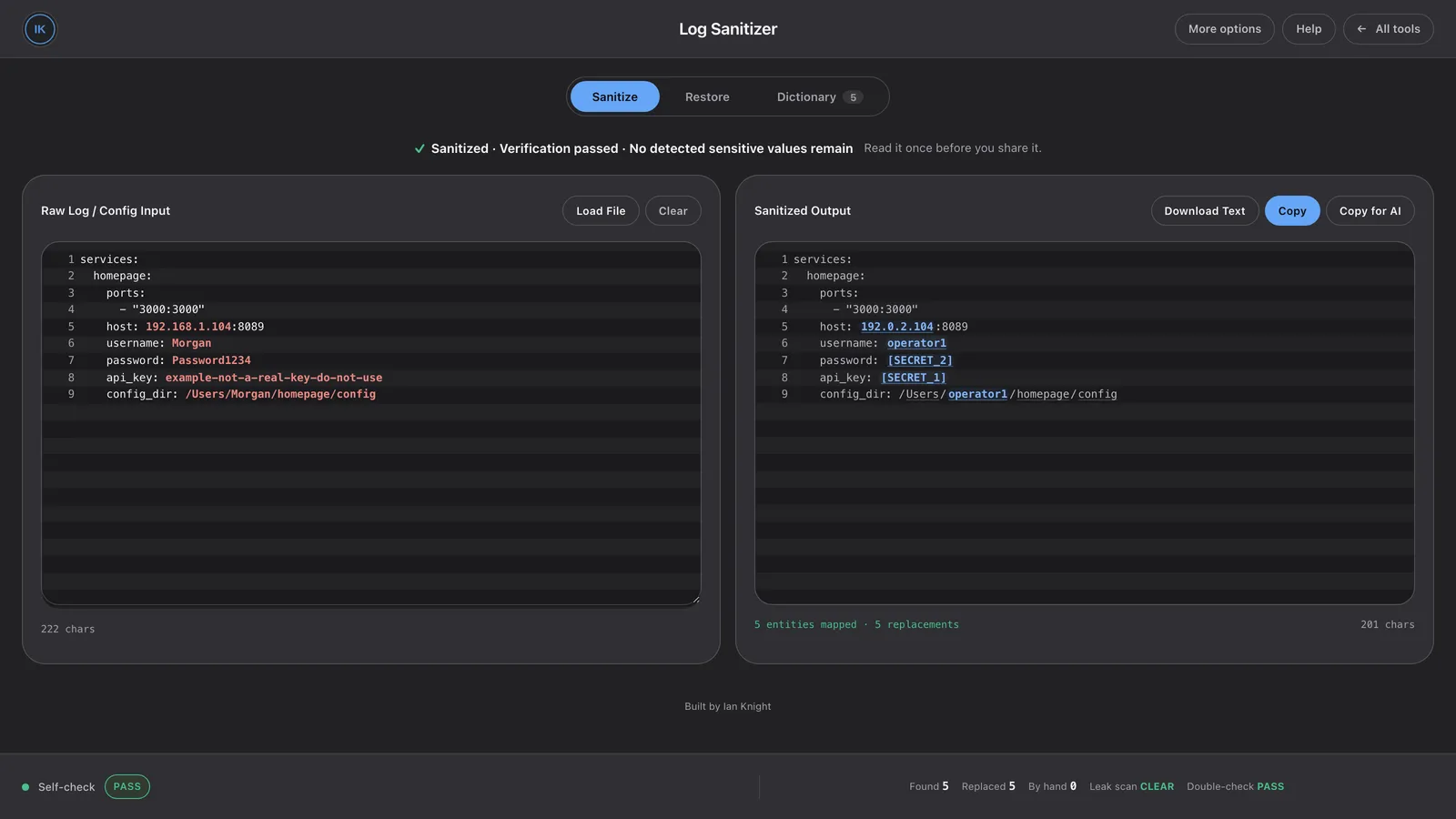
Paste a log or config into it and it starts looking for sensitive values as you type. It checks for IPs, hostnames, credentials, API keys and tokens, plus anything that matches a custom pattern you’ve added. The built-in example is a small config with an internal IP, a username, a password, an API key, and a home folder path. It replaces each one with a consistent placeholder. The important part is that the rest of the config still makes sense after it’s cleaned up, so a person or an AI can still follow it.
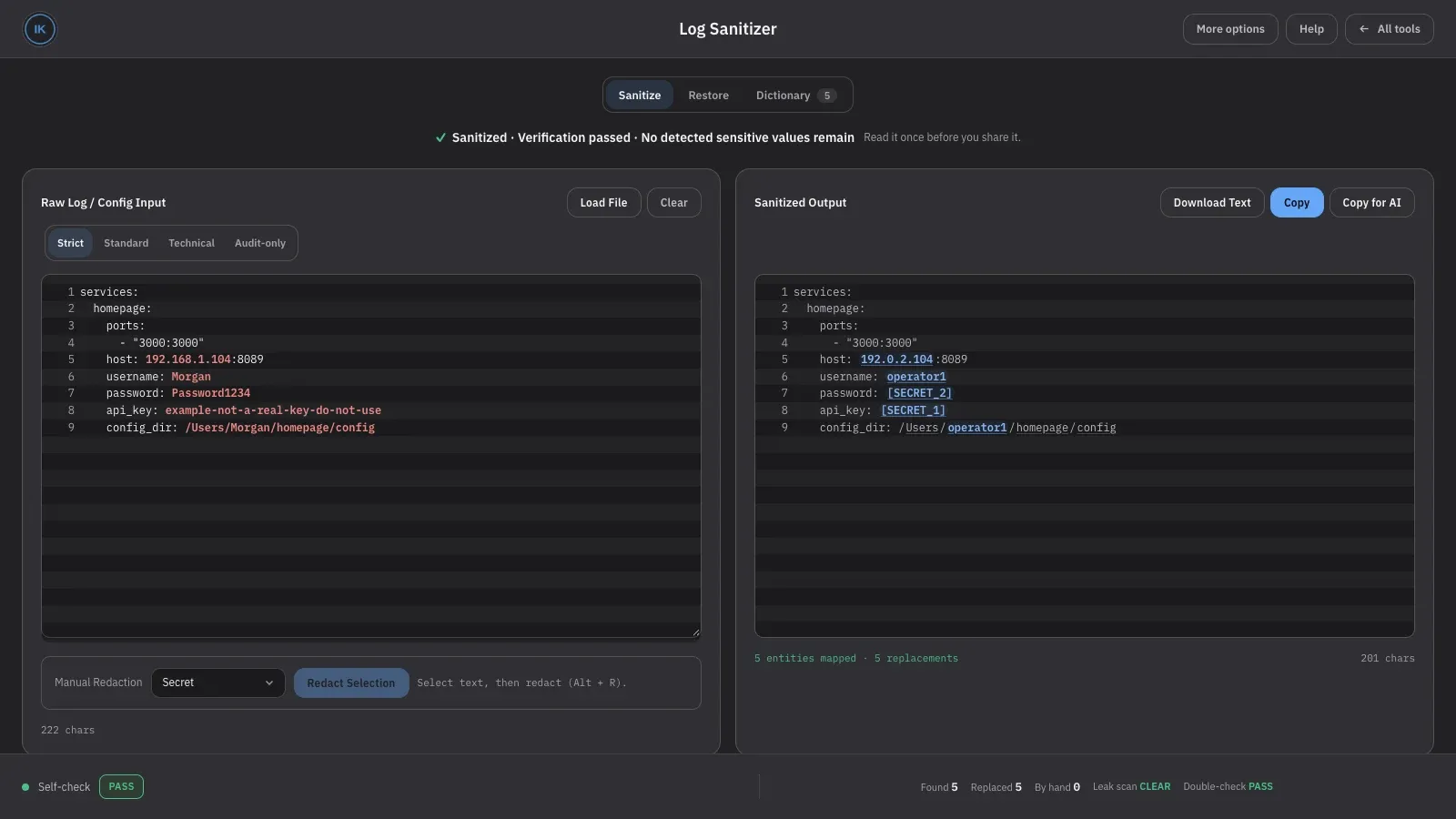
The built-in example, all made-up values (documentation IP range). Raw on the left, sanitized on the right, with the green verification line above.
Checking its own work
A sanitizer that misses something without telling you is worse than none, so most of the recent work went into checking the result.
- A second check. After it redacts, a separate leak scan looks at the output for anything that still looks sensitive, and a double-check runs an independent pass. A green line at the top means both found nothing left to hide. It still says to read the result yourself before sending it, because no scanner catches everything.
- Redact by hand. If it misses something, select the text and press Alt + R to redact it yourself.
- Self-check. The tool tests its own detection when the page loads, so you know it’s working before you paste anything real.
Getting the real values back
Placeholders are consistent, so the same IP always becomes the same placeholder. The tool keeps a dictionary of what each one replaced.
- Restore. Paste a reply that still has the placeholders, such as an answer from an AI, and switch to Restore to put the real values back. It needs the dictionary from the same session.
- Dictionary tab. You can see and correct replacements. Originals stay hidden until you choose to show them.
- Copy for AI. Copies the sanitized text in a form that’s ready to paste into a chat.
Settings, without the clutter
Settings have a Simple view with what most people need, and an Advanced view with custom rules, per-rule toggles, and profile import.
- Sensitivity presets: Strict, Standard, Technical, and Audit-only.
- Detection profiles for Cisco, Dell OS10, VMware/ESXi, Windows/AD, and Kubernetes/Docker.
- Your own rules and exclusions, plus a built-in list of common system accounts and subnet masks that shouldn’t be redacted.
Built so it stays on your machine
- Nothing uploads. The page’s CSP blocks outbound network requests, so the data you’re trying to protect doesn’t get sent to a server somewhere. There is no server.
- Idle lock and cleanup. The screen blurs after you’ve been idle, raw input is wiped when the tab is hidden or closed, and the clipboard clears a few seconds after you copy. The timers are adjustable.
- Encrypted-only export. Anything you save is encrypted with AES-GCM or OpenSSL-compatible encryption. There’s no plain-text way to write out your dictionary.
- A Safety tab. It lays out in plain language how a log leaves your machine, and what the tool can’t protect against, such as browser extensions or someone looking at your screen.
A short intro opens the first time you launch it, and there’s a guided tour if you want one. You can turn the intro off.
Open the Log Sanitizer · Download the latest HTML file · Source on GitHub